Creating a Design System in One Click
Backstory
This started as an excuse to learn Claude Code, and turned into something people actually use.
Started by exploring Claude Code, wanted to learn by building something real, not from a tutorial. Picked a colour palette generator as the entry point.
Then I remembered something my classmate said while we were working on a project together, that getting the initial colour palette, typography, and button variants set up in Figma always takes way longer than it should. So I built something to fix that. Focused especially on the Figma export: copy one script, paste it into Figma's console, your design system appears.
Create palette from image or a primary color, change fonts, check accessibility and preview button component before exporting.
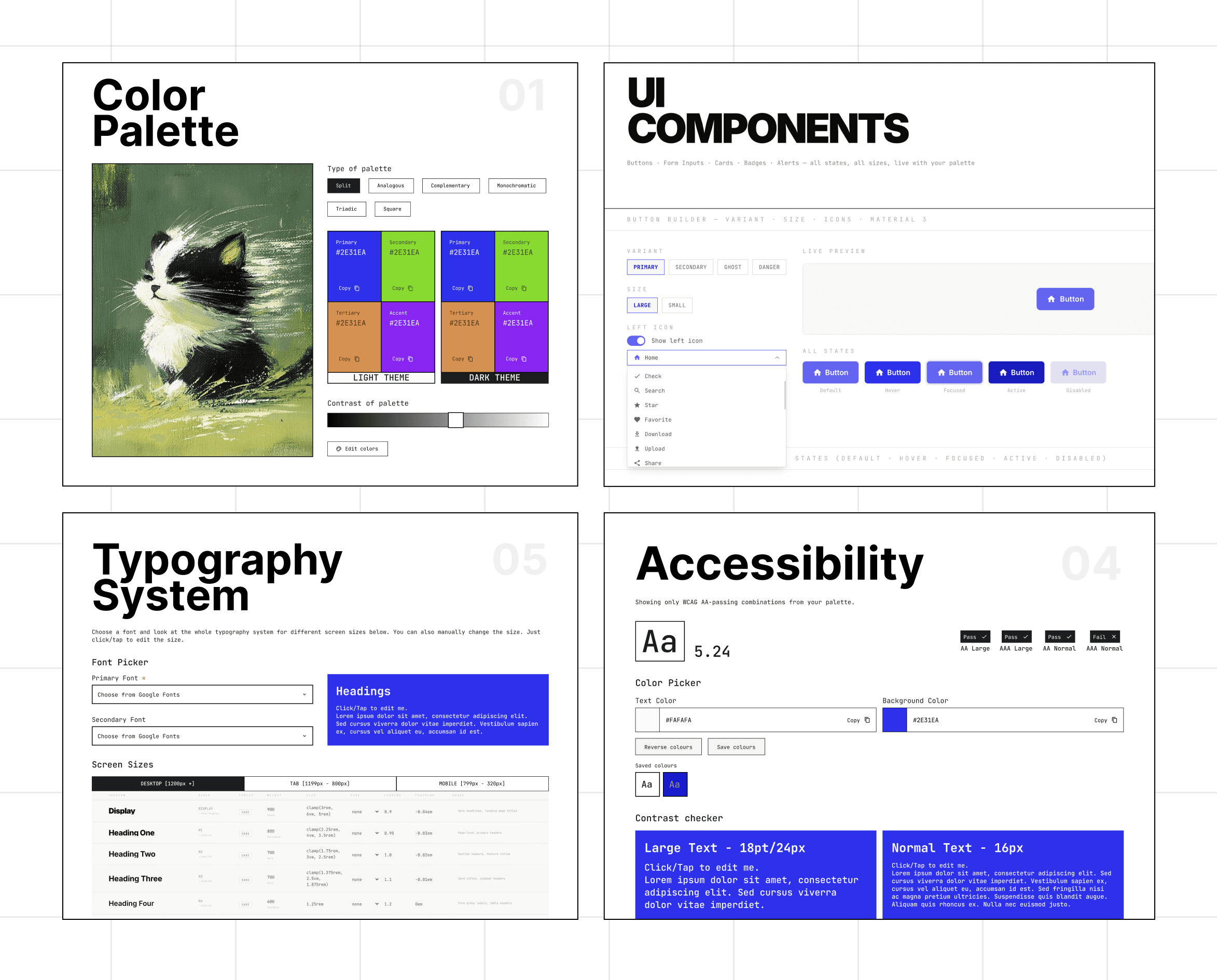
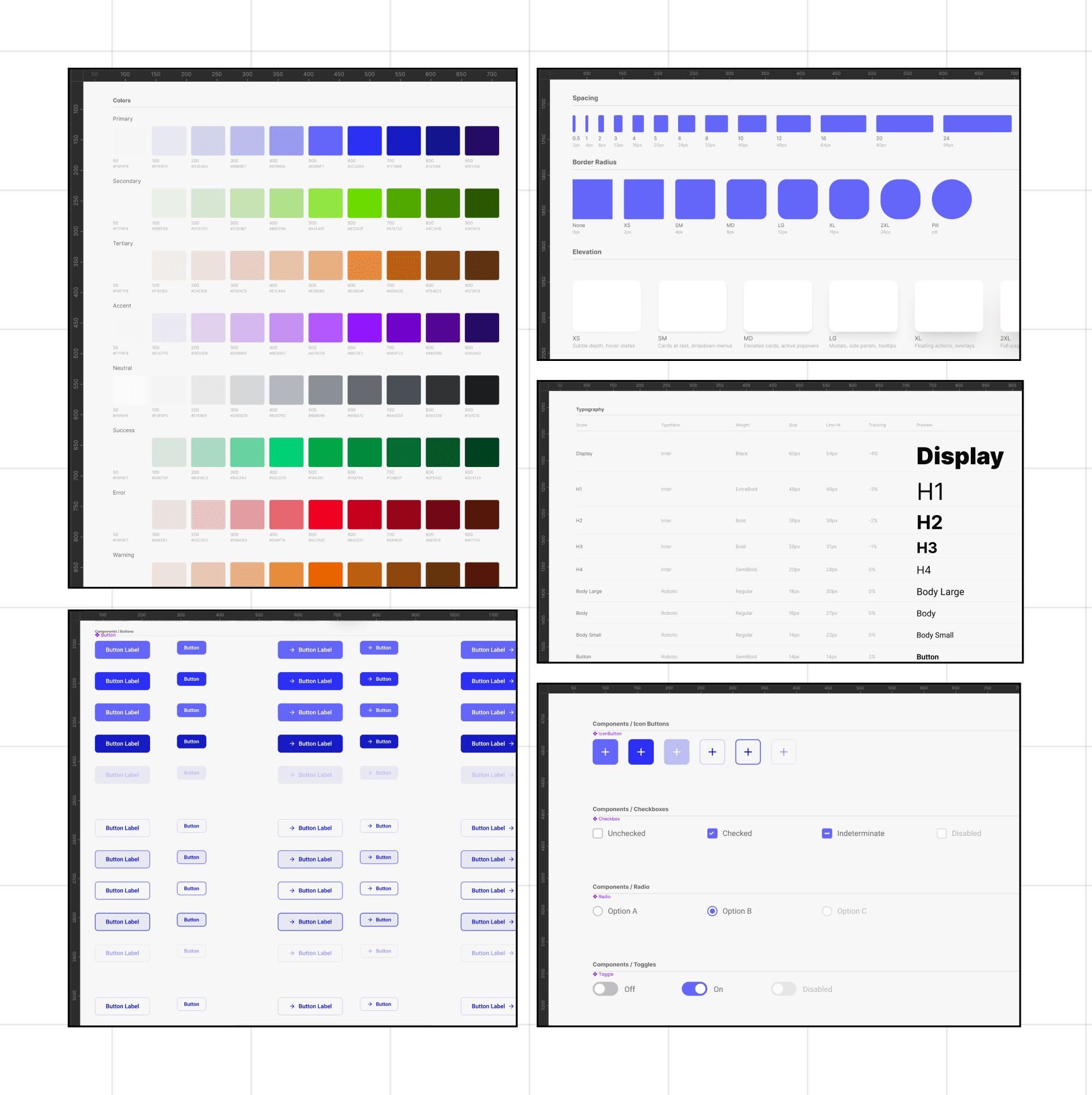
Final export in figma. Creates Typography, Colour and elevation styles. Also generates the starter kit in a new page in figma file with component and its variants as well.
Outcome
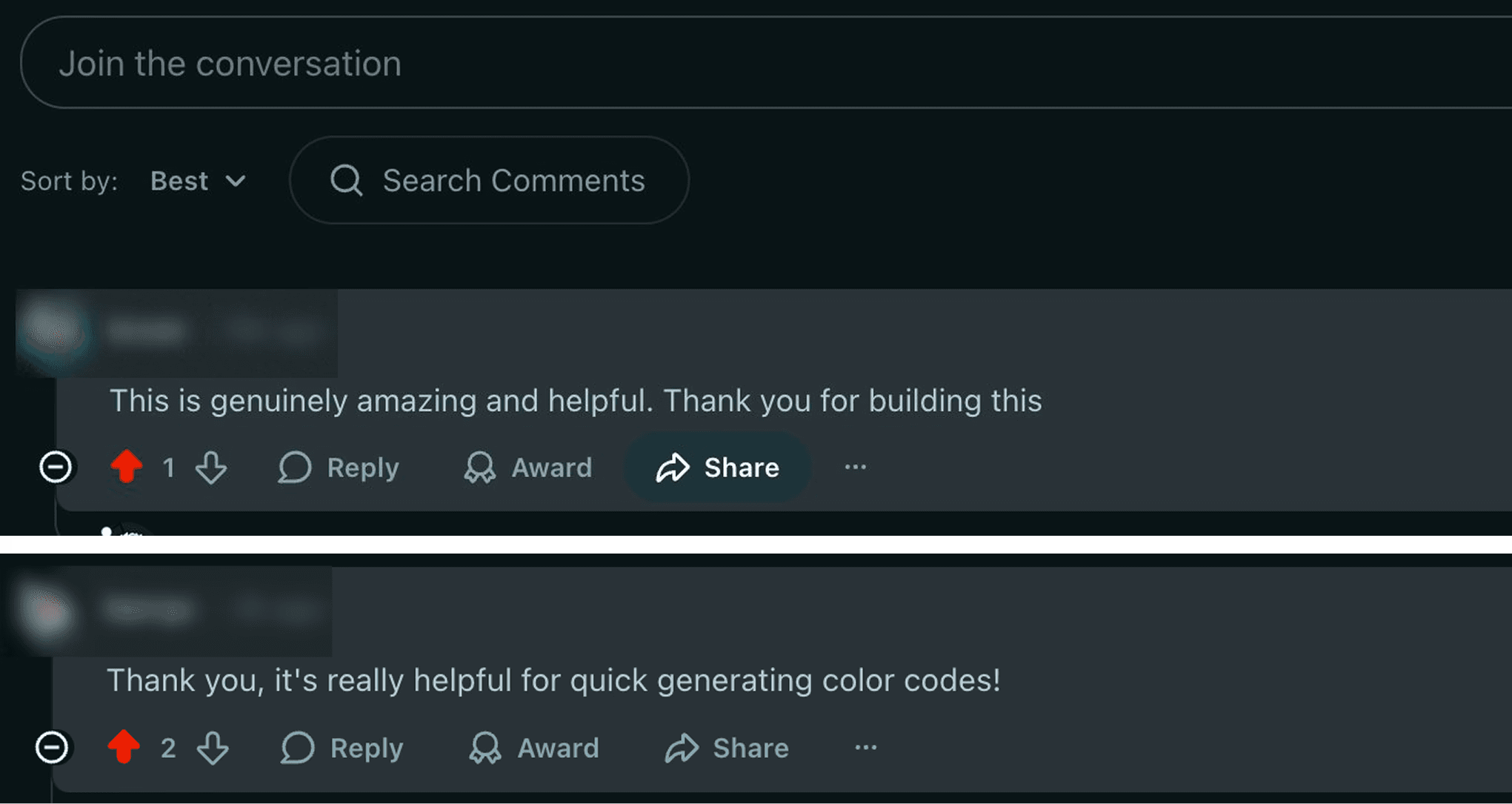
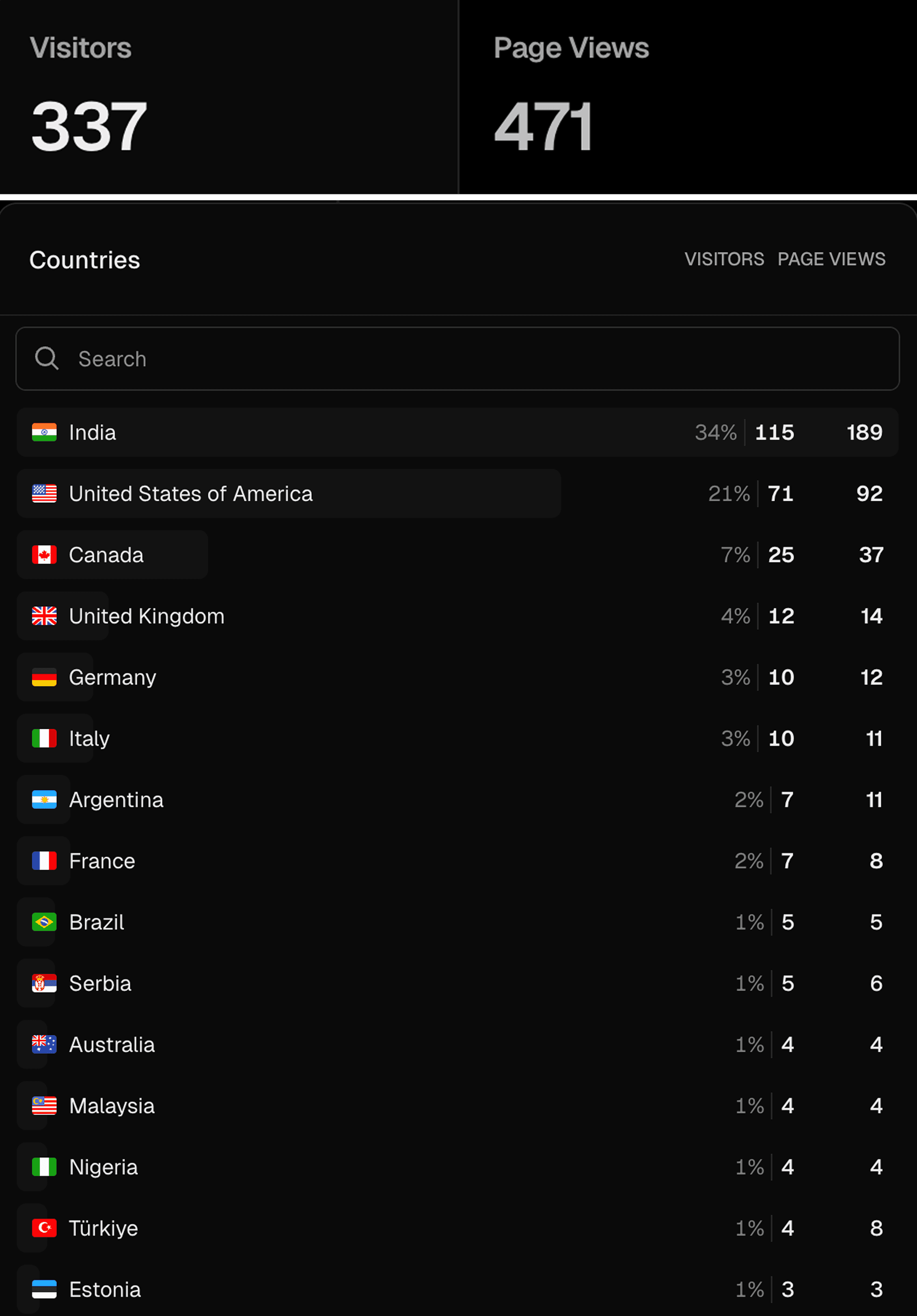
Shared it on Reddit. Someone replied saying it genuinely helped them, and that made my day. Since then, 100+ repeat visitors from multiple sources and visitors from many countries. Still iterating.
Insights
Ship first
A working tool in real hands beats a polished concept in your head.
No friction wins
The Figma export works via console script, no plugins, no setup. Copy, paste, done.
What's next
The tool works. The UX has room to grow. Here's where it's going
Embed DSG in Claude Code So the AI builds components that already respect your tokens.
Edit on site, export everywhere Make live edits in context → export to Figma, Claude Code, or CSS in one step.
Other works




Checkpoint Reached
Let’s build something meaningful!
© Janvi Guliyan 2026
Made with love